To switch NAVER Map to English, follow the path for your phone. Android: NAVER Map → MY → Settings → Language → English. iPhone: use the app’s Language option, or Settings → NAVER Map → Preferred Language. These paths follow NAVER’s official language-setting guide.
Cover: AI-generated travel illustration, not an app screenshot or a real location photograph.
Planning a K-pop shopping trip, a birthday-cafe visit or your first concert in Korea? Changing the interface is the first step. Finding the correct branch, entrance and return route is a separate task. This guide gives you a short setup path and a checklist for those next decisions.
Sources checked: October 21, 2026. This is a desk-researched guide based on official documentation, not an on-device test or a report from a venue visit. Labels can vary with app and operating-system updates.
Switch NAVER Map to English on your phone
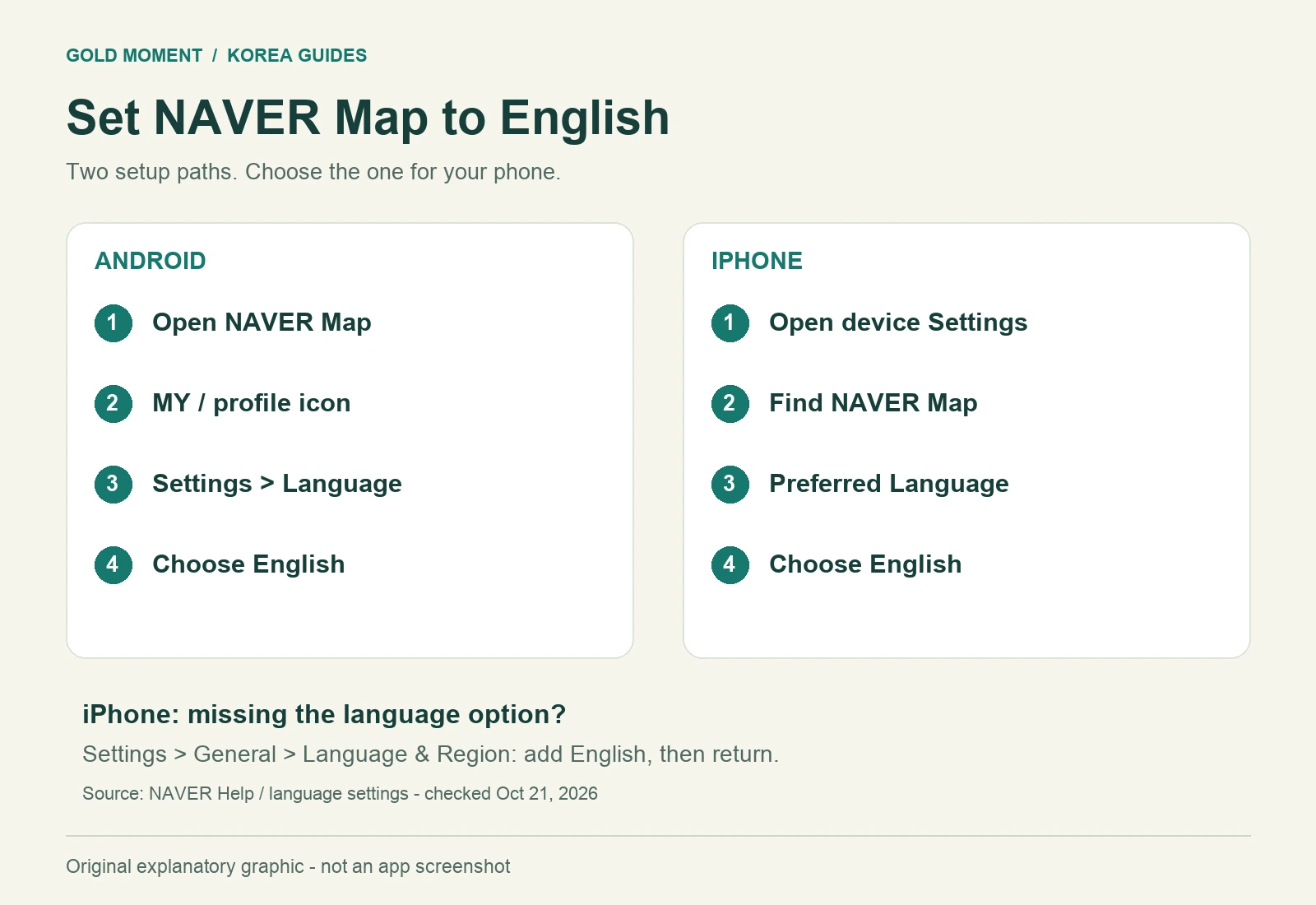
Android: In NAVER Map, open MY (the profile icon), then the settings gear and Language. Select English. The Korean label 언어 means language.
iPhone: NAVER Map’s MY → settings gear → Language leads to the device’s app-language setting. Alternatively, find NAVER Map in your phone’s Settings, then Preferred Language, and choose English.
Missing Preferred Language? NAVER recommends adding a supported language under Settings → General → Language & Region. Add English and return to the app’s settings. Its documented remedy does not require changing the phone’s entire system language first.
English menus do not guarantee an English answer everywhere
NAVER supports Korean, English, Simplified Chinese and Japanese, but says its Place Agent answers only in Korean. An English interface therefore does not mean every feature will respond in English.
If a cafe, store or venue does not appear
Start with the official event notice or business website, rather than guessing a translated name. Copy the Korean venue name and street address into a note. If a name search returns several candidates, compare the branch and street address before choosing a destination.
Before choosing a result, compare the district, branch name and address with the source you started from. For a temporary birthday cafe or pop-up, separately check the organizer’s dates and instructions. A map listing helps locate a building; it does not establish that a particular event is taking place there today.
For a concert, keep four separate details: the venue’s name, its street address, the entrance or gate specified by the organizer, and the location of any ticket-pickup desk. Treat a nearby station as a travel reference rather than the event’s exact entrance.
A return-trip check for concert days
Plan the journey back as well as the journey there. Write down the date, your expected time of leaving, the accommodation address and any transfers you are considering. If the last connection matters, confirm its timetable with the relevant operator before committing to that plan.
NAVER notes that public-transport information can differ from reality because of changes or data errors. Its transport-information help page describes reporting problems with routes and schedules. Use a map estimate as planning input, and check an operator’s current notice when timing is critical.
Keep this short note on your phone
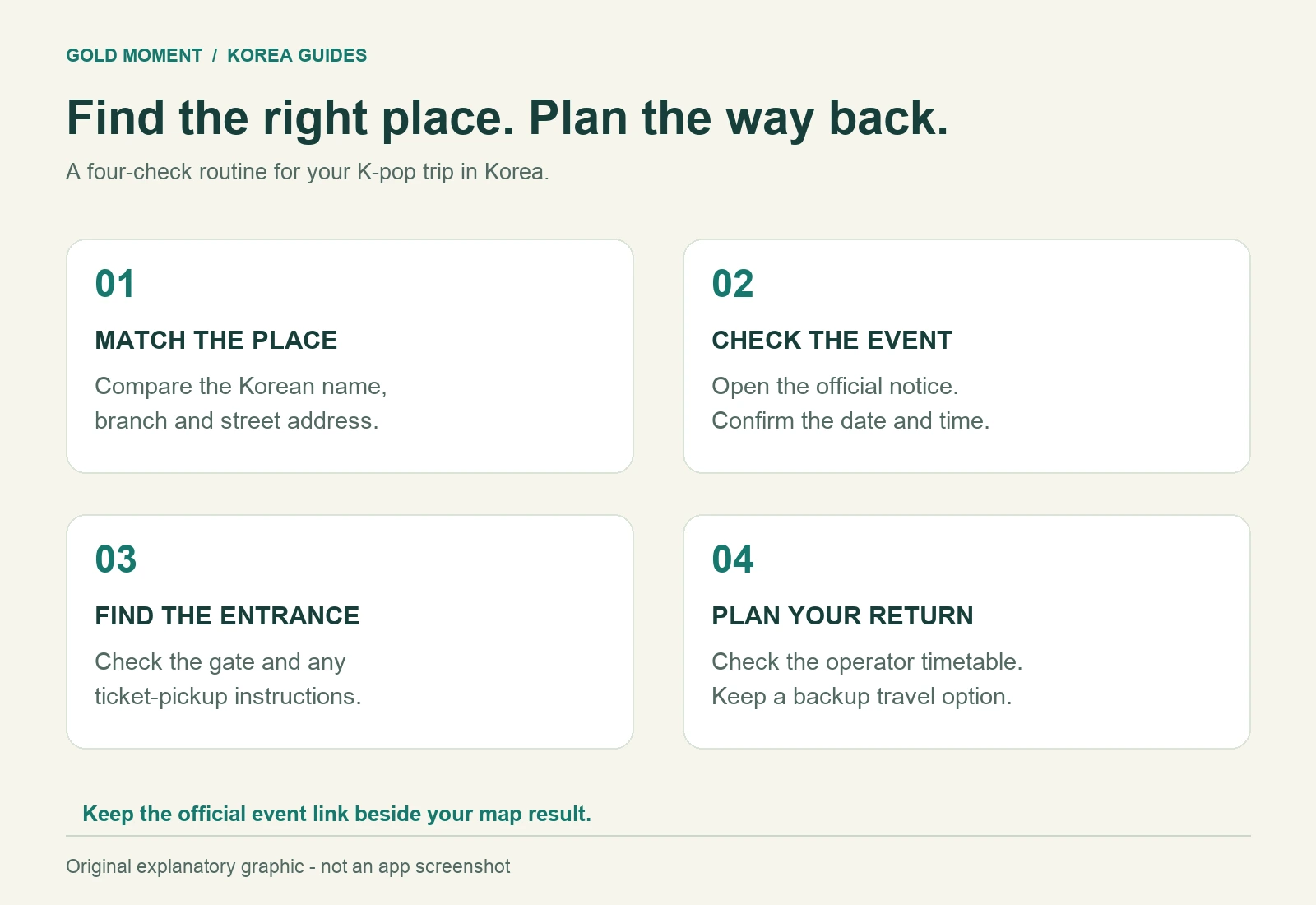
Destination: official Korean name, branch and street address.
Event: date, opening time and organizer’s official link.
Arrival: station or stop, entrance and pickup location if applicable.
Return: accommodation address, timetable checked and a backup option.
Last checked: the date you verified the event and transport information.
This note is especially useful when a translated name is ambiguous: you can compare addresses without starting your research again. Keep the official event link alongside the map result so that location information and admission instructions stay connected.
Before you leave
Confirm the app’s language, identify the exact destination, and verify the event’s current notice. Then check the route back. Those are four separate checks; completing the first does not complete the other three. For further help with the language setting, use the official NAVER documentation linked above.
For more trip-planning resources, visit our Korea guides in English.